
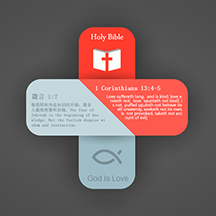


Clean & Intuitive Design
A simple, clear interface with optimized workflows so you can focus on studying the Bible.
BibleStudy supports Chinese, English, Hebrew, Korean, and other Bible versions, with pinyin/zhuyin annotations, cross-references, and verse cards to help you dig deeper into Scripture.
A simple, clear interface with optimized workflows so you can focus on studying the Bible.

Curated, authoritative commentary, including Chinese and English verse-by-verse commentary and cross-references.

A thoughtful audio toolbar — tap to listen, auto-caching for offline access to God's Word.

Simplified Chinese, Traditional Chinese, Hebrew, Korean, NIV, ASV, and more — read them side by side.

Designed for seekers and new believers to gain a solid understanding of the Christian faith.

Put down deep roots in faith and learn to follow Jesus as His disciples.

Find answers to your questions about faith here.

Create beautiful scripture cards with separate fonts for the verse and reference, plus card language and image options.
Read the Hebrew and Greek original-language Bibles, with display optimized for right-to-left Hebrew.
Show pinyin or zhuyin alongside the text, and adjust line spacing, wavy underlines, and dotted underlines.
View cross-references for your current Bible version, with a complete set of English verse-by-verse commentary.

Daily Manna, Gospel Radio, Reading Plans, a free font library, and download management — grow in every way.
Start your Bible study journey today.
Yes. BibleStudy is free to download and use, with all core features available at no cost.
BibleStudy is available for Android and iOS, plus a dedicated smartwatch version.
Yes. The audio Bible and any cached content can be listened to and read offline.
Simplified Chinese, Traditional Chinese, Hebrew, Korean, NIV, ASV, and more — with side-by-side reading, pinyin/zhuyin, and cross-references.
Android users can download the APK directly from this page and install it manually.
If the App Store is unavailable in your region or the app cannot be found there, try switching your Apple ID region to download it, or use the Google Play / APK version on an Android device.
View solutionThis does not mean the app has been removed from every App Store. If you previously downloaded it with an Apple ID from another region and later switched back to your local Apple ID, tapping "Update" or checking "Purchased" can show this message. Do not delete the app; sign back in with the original Apple ID and update or reinstall it from your Purchased list.